請依照下方異常排除流程嘗試除錯,請逐一仔細確認,如果照著做仍然無法排除,請聯繫你的課程窗口,或來電 02-7709-8229。
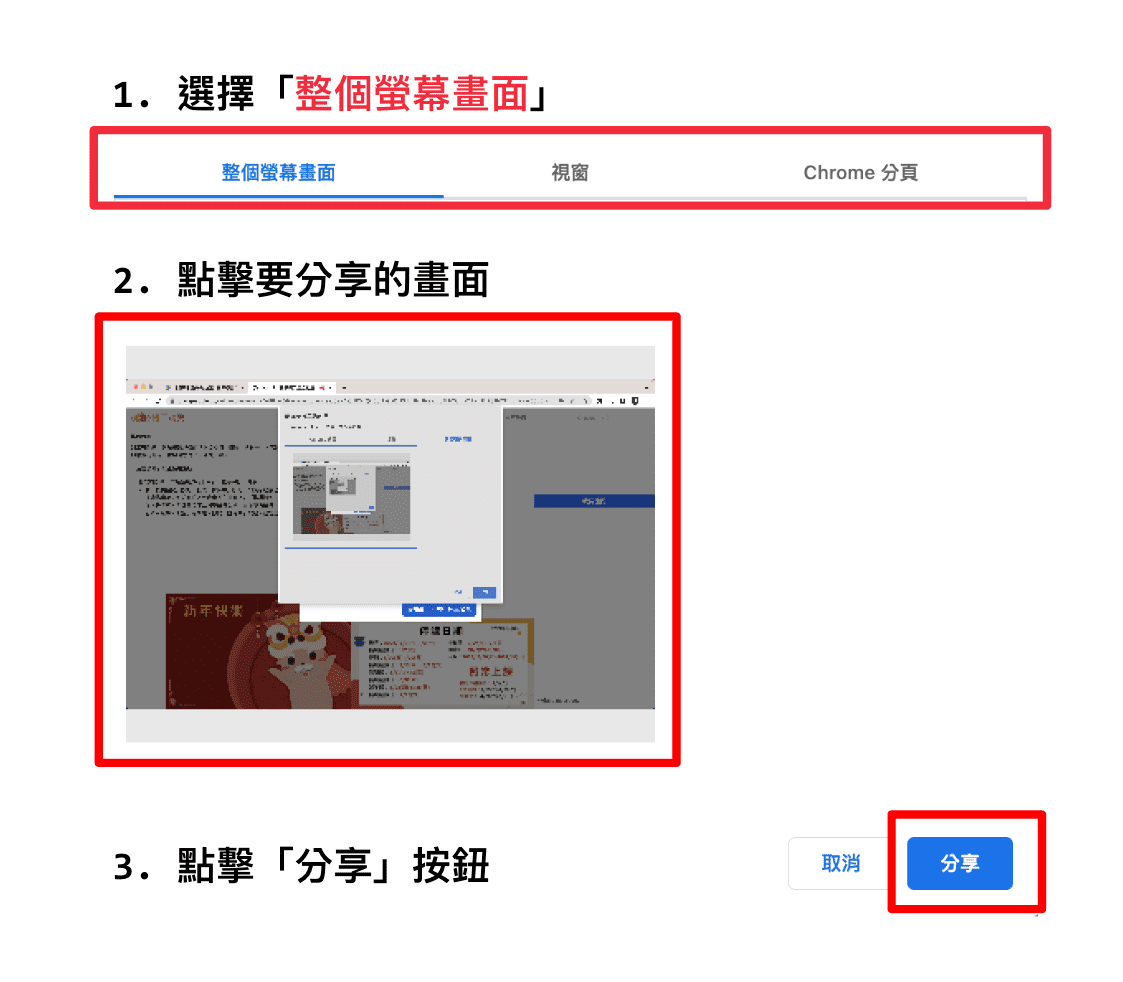
- 測試說明:螢幕分享測試,按下「分享螢幕」,等候約 1-2 秒,會跳出分享畫面的請求,請選擇「整個螢幕畫面」,顯示分享螢幕於顯示格中,則是成功。
- 異常排除方式(顯示格呈現黑畫面):
- 重新整理,重新點擊執行測試。
- Mac 用戶,嘗試到安全性與隱私權開啟螢幕錄製/麥克風在 Google Chrome 的權限。
- 確認瀏覽器設備權限(優先使用 Chrome):點擊右上角「攝影機」圖示,確認是否同意瀏覽器使用「攝影機」與「麥克風」,或點進「管理」確認「可以使用麥克風」中是否包含"https://orangeapple.co/"。
- 嘗試不同瀏覽器(以 Google chrome 為優先)。
- 重新開機。